> ## Documentation Index
> Fetch the complete documentation index at: https://help.weavely.ai/llms.txt
> Use this file to discover all available pages before exploring further.
# How to Add a Contact Form to Figma Sites
> So you've built your website using Figma Sites, but you're looking to add a web form to it? You've come to the right place!
{`{
"@context": "https://schema.org",
"@graph": [
{
"@type": "WebPage",
"@id": "https://help.weavely.ai/guides/figma-sites",
"url": "https://help.weavely.ai/guides/figma-sites",
"name": "How to Add a Contact Form to Figma Sites",
"description": "So you've built your website using Figma Sites, but you're looking to add a web form to it? You've come to the right place!",
"inLanguage": "en",
"isPartOf": {
"@type": "WebSite",
"@id": "https://help.weavely.ai/#website",
"name": "Weavely Help Center"
},
"breadcrumb": {
"@type": "BreadcrumbList",
"itemListElement": [
{ "@type": "ListItem", "position": 1, "name": "Guides", "item": "https://help.weavely.ai/guides" },
{ "@type": "ListItem", "position": 2, "name": "How to Add a Contact Form to Figma Sites", "item": "https://help.weavely.ai/guides/figma-sites" }
]
},
"publisher": { "@id": "https://www.weavely.ai/#org" }
},
{
"@type": "TechArticle",
"headline": "How to Add a Contact Form to Figma Sites",
"description": "So you've built your website using Figma Sites, but you're looking to add a web form to it? You've come to the right place!",
"author": { "@id": "https://www.weavely.ai/#org" },
"publisher": { "@id": "https://www.weavely.ai/#org" },
"inLanguage": "en",
"mainEntityOfPage": { "@id": "https://help.weavely.ai/guides/figma-sites" }
},
{
"@type": "VideoObject",
"@id": "https://help.weavely.ai/guides/figma-sites#video",
"name": "How to Embed a Web Form in Your Figma Site",
"description": "Want to add a contact or lead form to your Figma Site? In this tutorial, I’ll show you how to embed an AI-generated web form from Weavely into your Figma Site.",
"thumbnailUrl": [
"https://i.ytimg.com/vi/z_vOp2GQ7rE/hqdefault.jpg",
"https://i.ytimg.com/vi/z_vOp2GQ7rE/sddefault.jpg"
],
"uploadDate": "2025-06-04T00:00:00Z",
"duration": "PT3M40S",
"embedUrl": "https://www.youtube.com/embed/z_vOp2GQ7rE",
"contentUrl": "https://www.youtube.com/watch?v=z_vOp2GQ7rE",
"potentialAction": {
"@type": "WatchAction",
"target": "https://www.youtube.com/watch?v=z_vOp2GQ7rE"
},
"publisher": { "@id": "https://www.weavely.ai/#org" },
"author": { "@id": "https://www.weavely.ai/#org" }
},
{
"@type": "Organization",
"@id": "https://www.weavely.ai/#org",
"name": "WEAVE.LY BV",
"url": "https://www.weavely.ai",
"address": {
"@type": "PostalAddress",
"streetAddress": "Herbert Hooverlaan 141",
"addressLocality": "Schaarbeek",
"postalCode": "1030",
"addressCountry": "BE"
},
"identifier": "BE0773.878.569",
"sameAs": [
"https://www.instagram.com/weavely.ai/",
"https://www.linkedin.com/company/weave-ly/",
"https://www.youtube.com/@weavely"
]
}
]
}`}
Figma Sites lets you design and publish websites directly from Figma. However, Figma doesn’t currently have native support for forms. If you want a working contact form or lead-capture form on your Figma website, you can easily embed forms built externally, such as those created with [Weavely.ai](https://Weavely.ai).
Here's how to seamlessly embed a form into your Figma site using a Weavely form as an example.
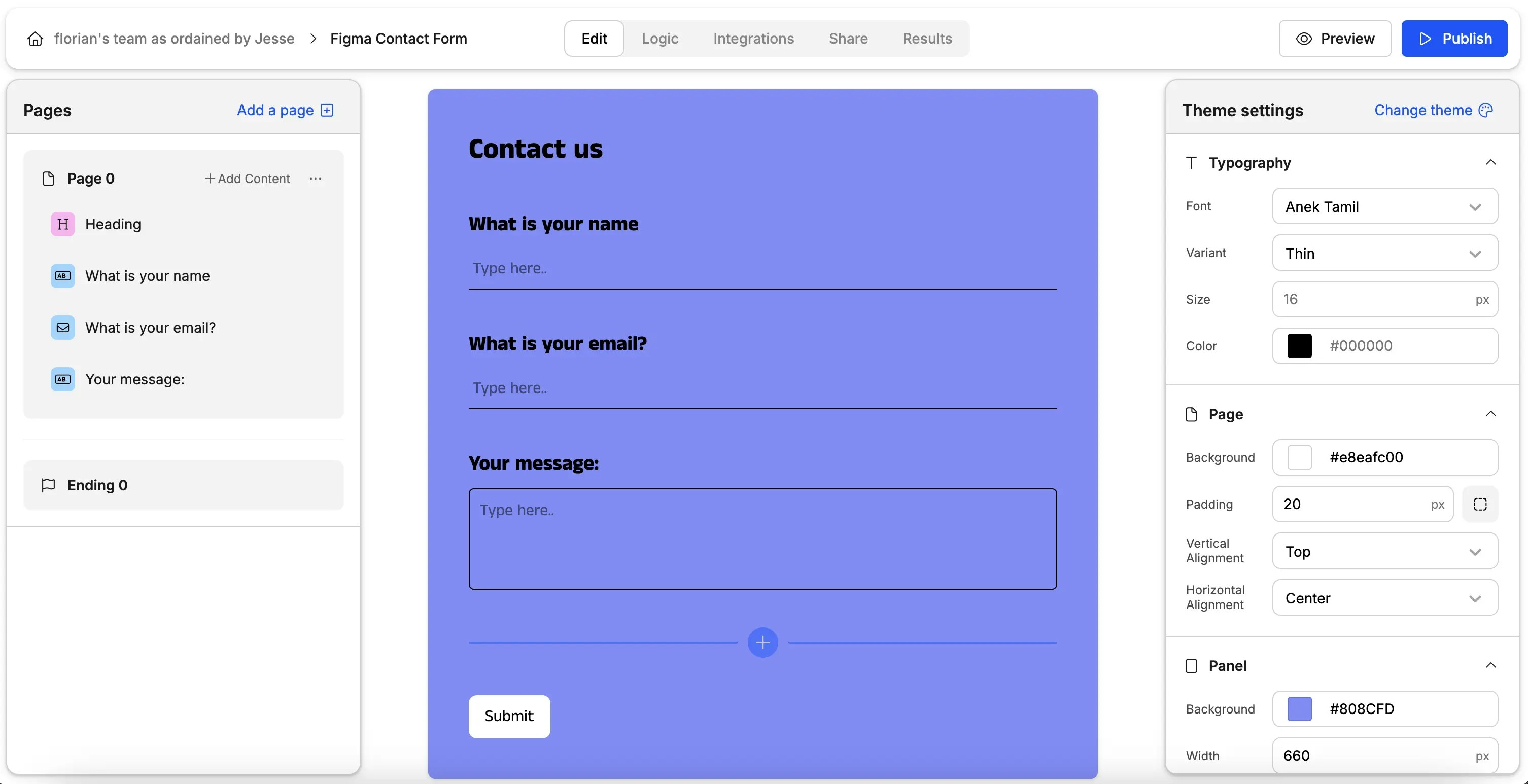
Figma doesn't have a built-in form builder (yet), so you'll need to build your form in an external tool in order to add it to your Figma Site. We might be biased here, but we think Weavely is a great tool to build forms 😉 For this tutorial we'll keep things simple. We built this contact form:
Which we'll embed in one of Figma's template websites:
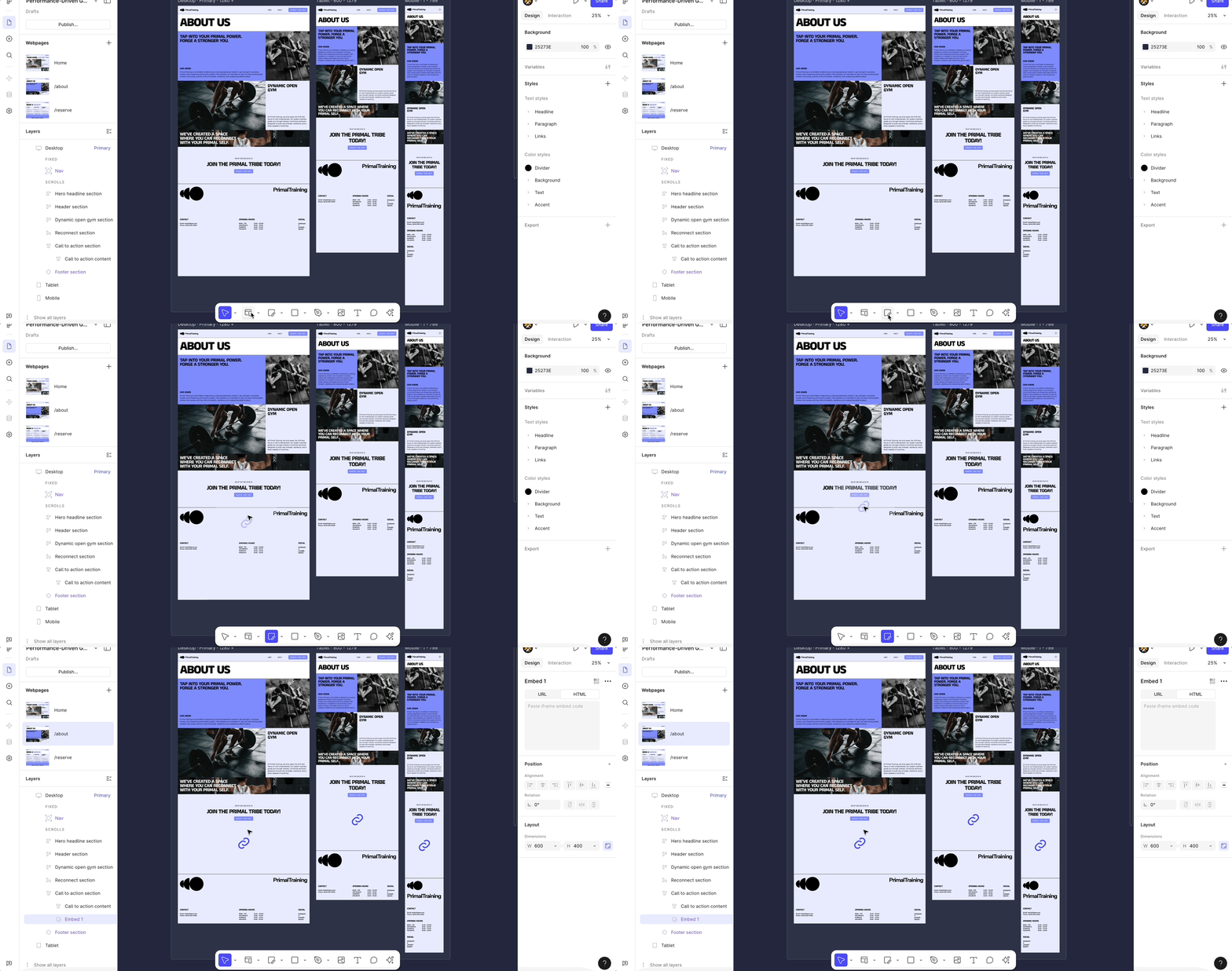
Select whichever page you want to add your form to, and drag an *"Embed"* layer from the toolbar into the page as shown below.
You'll want to make sure that the embed renders correctly on the various viewports. In our case we modified the embed's *Layout* settings to:
* *fill* the width of the parent frame
* fill the height of the parent frame
* have a *minimum height* of 700 to make sure that it completely renders the form to be embedded
Once you've added the embed layer and set its layout you can add the source data. Or in other words, add the form data to the embed layer. You can do this in two ways.
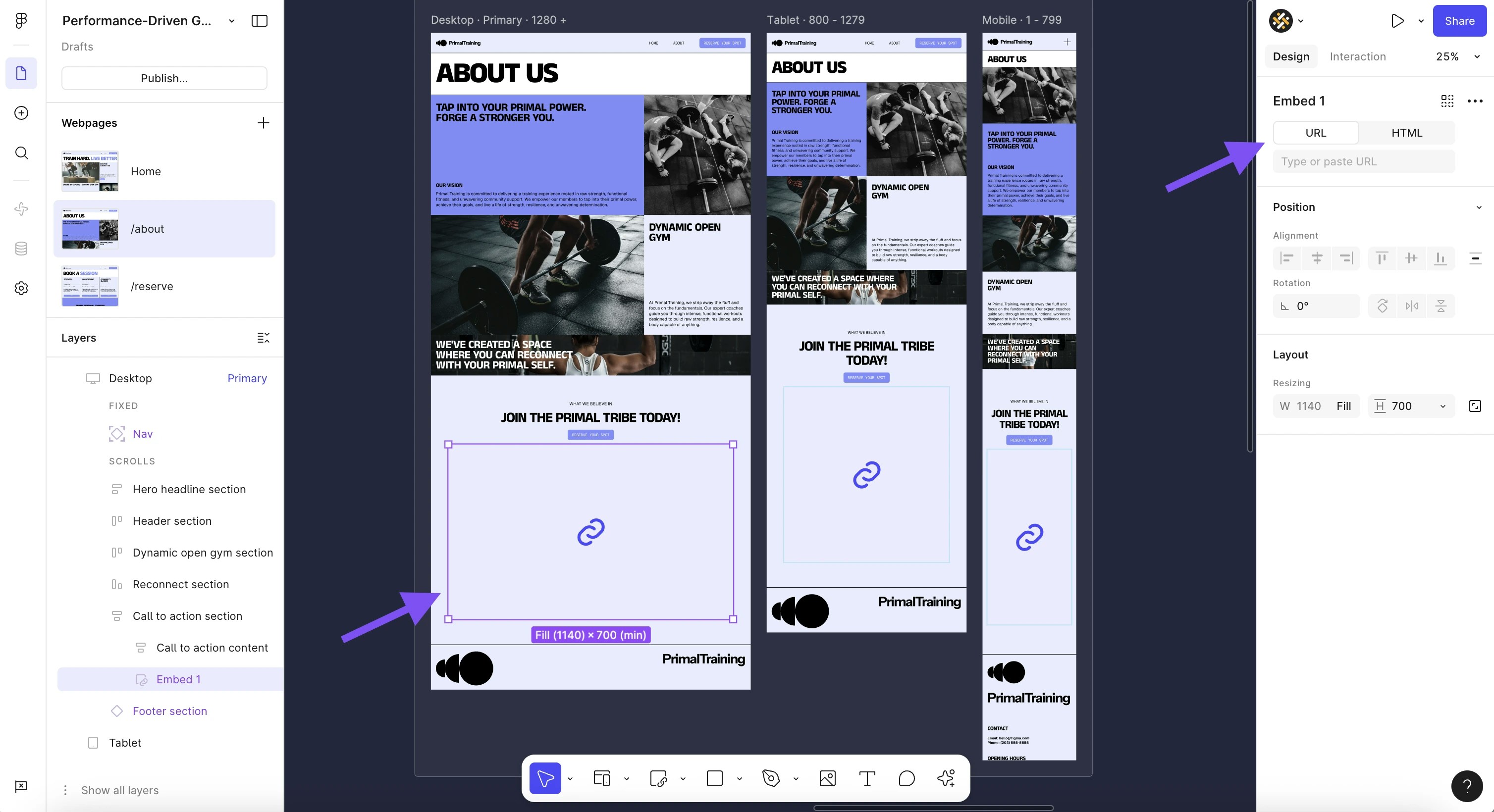
First, by setting the embed's *URL* to contain the form's URL (see [this tutorial](/get-started/sharing) to get your Weavely forms' URL).
The downside of this approach is that by default this will make the form scrollable inside your website. Especially on mobile this negatively impacts user experience.
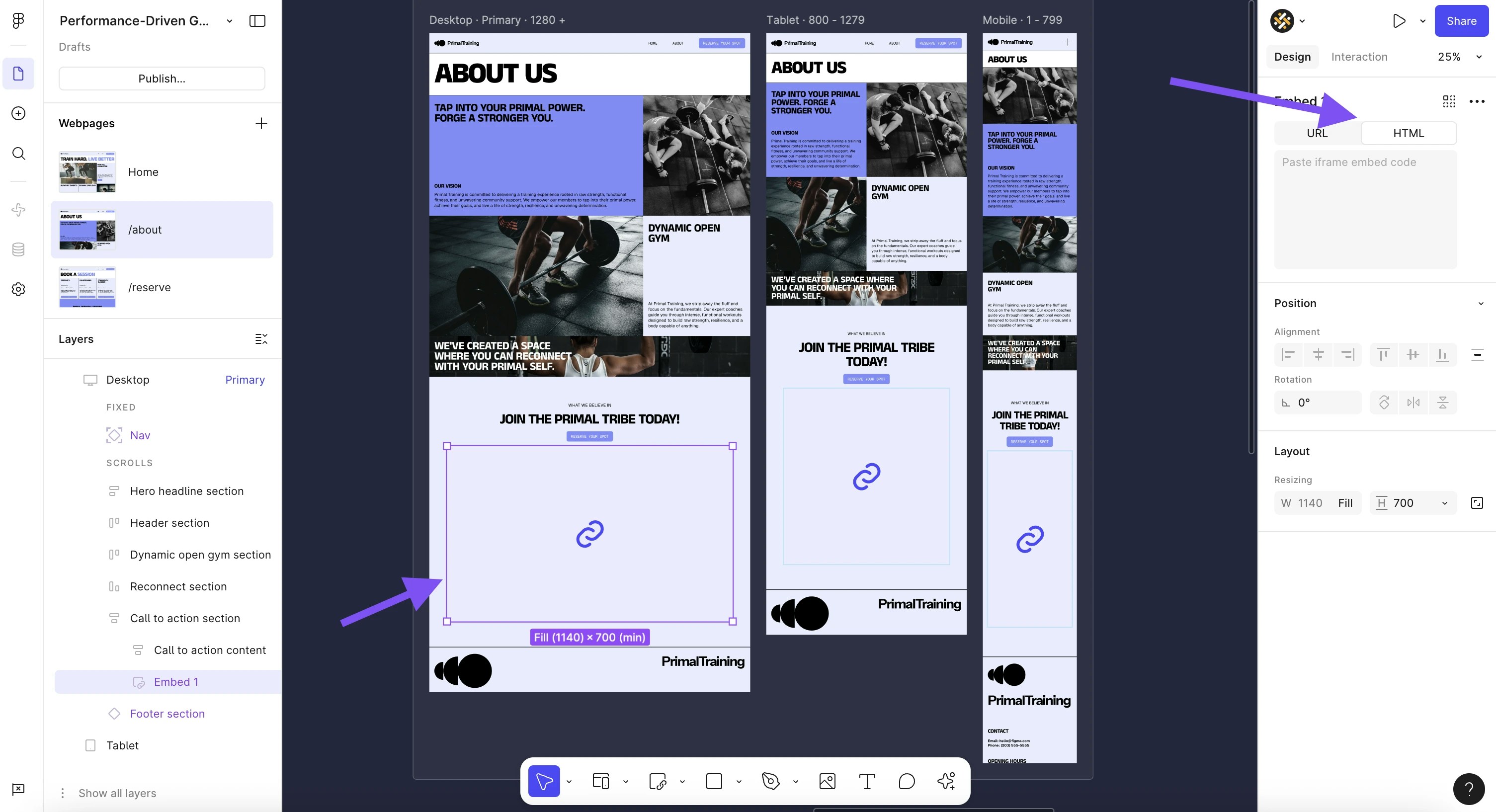
A second method is to insert the HTML code below in the embed's *HTML* field.
```javascript theme={null}
```
This ensures that the form isn't scrollable. You will need to make sure that the minimum height is sufficient for the form to completely render inside the iframe though.
 Which we'll embed in one of Figma's template websites:

 You'll want to make sure that the embed renders correctly on the various viewports. In our case we modified the embed's *Layout* settings to:
* *fill* the width of the parent frame
* fill the height of the parent frame
* have a *minimum height* of 700 to make sure that it completely renders the form to be embedded
You'll want to make sure that the embed renders correctly on the various viewports. In our case we modified the embed's *Layout* settings to:
* *fill* the width of the parent frame
* fill the height of the parent frame
* have a *minimum height* of 700 to make sure that it completely renders the form to be embedded
.gif?s=a247129a4b672dab780a5375f24f3e2c)
 The downside of this approach is that by default this will make the form scrollable inside your website. Especially on mobile this negatively impacts user experience.
A second method is to insert the HTML code below in the embed's *HTML* field.
```javascript theme={null}
```
This ensures that the form isn't scrollable. You will need to make sure that the minimum height is sufficient for the form to completely render inside the iframe though.
The downside of this approach is that by default this will make the form scrollable inside your website. Especially on mobile this negatively impacts user experience.
A second method is to insert the HTML code below in the embed's *HTML* field.
```javascript theme={null}
```
This ensures that the form isn't scrollable. You will need to make sure that the minimum height is sufficient for the form to completely render inside the iframe though.