> ## Documentation Index
> Fetch the complete documentation index at: https://help.weavely.ai/llms.txt
> Use this file to discover all available pages before exploring further.
# Connect Your Weavely Form to viaSocket for Workflow Automation
> viaSocket is an AI automation platform that connects your Weavely form to hundreds of other apps like Slack, Gmail, Airtable, and more.
{`{
"@context": "https://schema.org",
"@graph": [
{
"@type": "WebSite",
"@id": "https://help.weavely.ai/#website",
"url": "https://help.weavely.ai/",
"name": "Weavely Help Center",
"inLanguage": "en",
"publisher": {
"@id": "https://www.weavely.ai/#org"
}
},
{
"@type": "WebPage",
"@id": "https://help.weavely.ai/integrations/viasocket",
"url": "https://help.weavely.ai/integrations/viasocket",
"name": "Connect Your Weavely Form to viaSocket for Workflow Automation",
"description": "viaSocket is an AI automation platform that connects your Weavely form to hundreds of other apps like Slack, Gmail, Airtable, and more.",
"inLanguage": "en",
"isPartOf": {
"@id": "https://help.weavely.ai/#website"
},
"breadcrumb": {
"@type": "BreadcrumbList",
"itemListElement": [
{
"@type": "ListItem",
"position": 1,
"name": "Integrations",
"item": "https://help.weavely.ai/integrations/aoverview"
},
{
"@type": "ListItem",
"position": 2,
"name": "viaSocket",
"item": "https://help.weavely.ai/integrations/viasocket"
}
]
},
"publisher": {
"@id": "https://www.weavely.ai/#org"
}
},
{
"@type": "TechArticle",
"@id": "https://help.weavely.ai/integrations/viasocket#article",
"headline": "Connect Your Weavely Form to viaSocket for Workflow Automation",
"description": "viaSocket is a powerful AI automation platform that lets you connect your Weavely form to hundreds of other apps like Slack, Gmail, Airtable, and more. With this integration, you can trigger automations whenever someone submits a form.",
"inLanguage": "en",
"author": {
"@id": "https://www.weavely.ai/#org"
},
"publisher": {
"@id": "https://www.weavely.ai/#org"
},
"mainEntityOfPage": {
"@id": "https://help.weavely.ai/integrations/viasocket"
}
},
{
"@type": "VideoObject",
"@id": "https://help.weavely.ai/integrations/viasocket#video",
"name": "Automate EVERYTHING with AI Forms + Viasocket (No-Code Tutorial)",
"description": "Want to automate your workflows with AI-powered forms? In this tutorial, I'll show you how to connect Weavely.ai forms to Viasocket and build powerful automations in minutes! We'll create a contact form using AI, then set up an automation that sends instant Slack notifications whenever someone submits the form. No coding required!",
"inLanguage": "en",
"thumbnailUrl": [
"https://i.ytimg.com/vi/uQlGRBbjbaI/hqdefault.jpg"
],
"uploadDate": "2025-12-08T12:00:00Z",
"duration": "PT4M25S",
"embedUrl": "https://www.youtube.com/embed/uQlGRBbjbaI",
"contentUrl": "https://www.youtube.com/watch?v=uQlGRBbjbaI",
"publisher": {
"@id": "https://www.weavely.ai/#org"
},
"isPartOf": {
"@id": "https://help.weavely.ai/integrations/viasocket"
},
"potentialAction": {
"@type": "WatchAction",
"target": "https://www.youtube.com/watch?v=uQlGRBbjbaI"
}
},
{
"@type": "Organization",
"@id": "https://www.weavely.ai/#org",
"name": "WEAVE.LY BV",
"url": "https://www.weavely.ai",
"address": {
"@type": "PostalAddress",
"streetAddress": "Herbert Hooverlaan 141",
"addressLocality": "Schaarbeek",
"postalCode": "1030",
"addressCountry": "BE"
},
"identifier": "BE0773.878.569",
"sameAs": [
"https://www.instagram.com/weavely.ai/",
"https://www.linkedin.com/company/weave-ly/",
"https://www.youtube.com/@weavely"
]
}
]
}`}
Here's how to connect Weavely and [viaSocket](https://viasocket.com/) in a few simple steps.
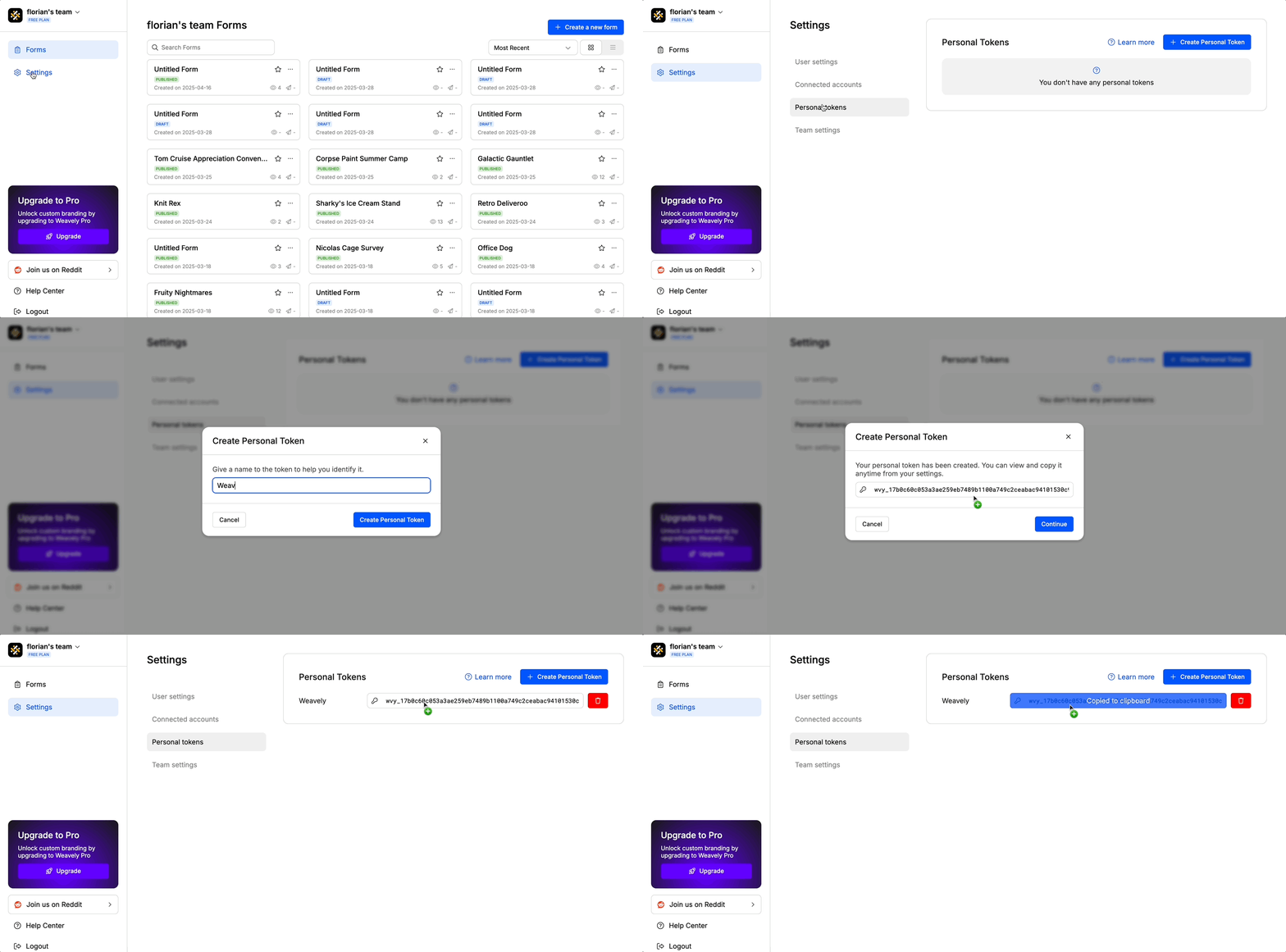
You'll need something called a *"personal token"* to connect you Weavely account to viaSocket. To create this token, navigate to *Settings->Personal Tokens* in the dashboard. Once created you'll be able to copy and paste this token (i.e. a string of text) to viaSocket in step 2.
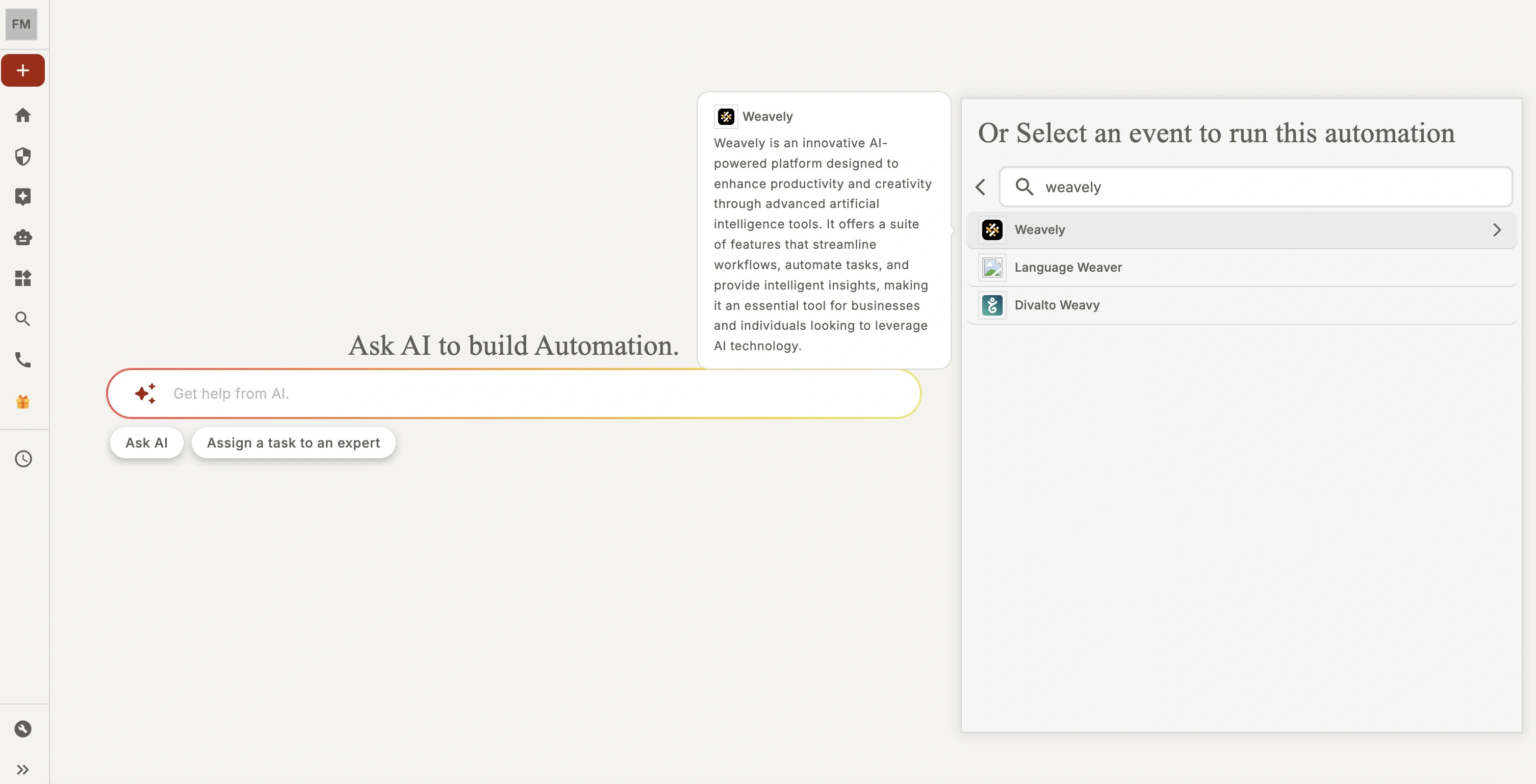
When you create a new flow in viaSocket, search for "Weavely" to find Weavely's triggers. For the moment this is limited to "New form submissions". In other words, your flow will be activated everytime your Weavely form gathers a new submission.
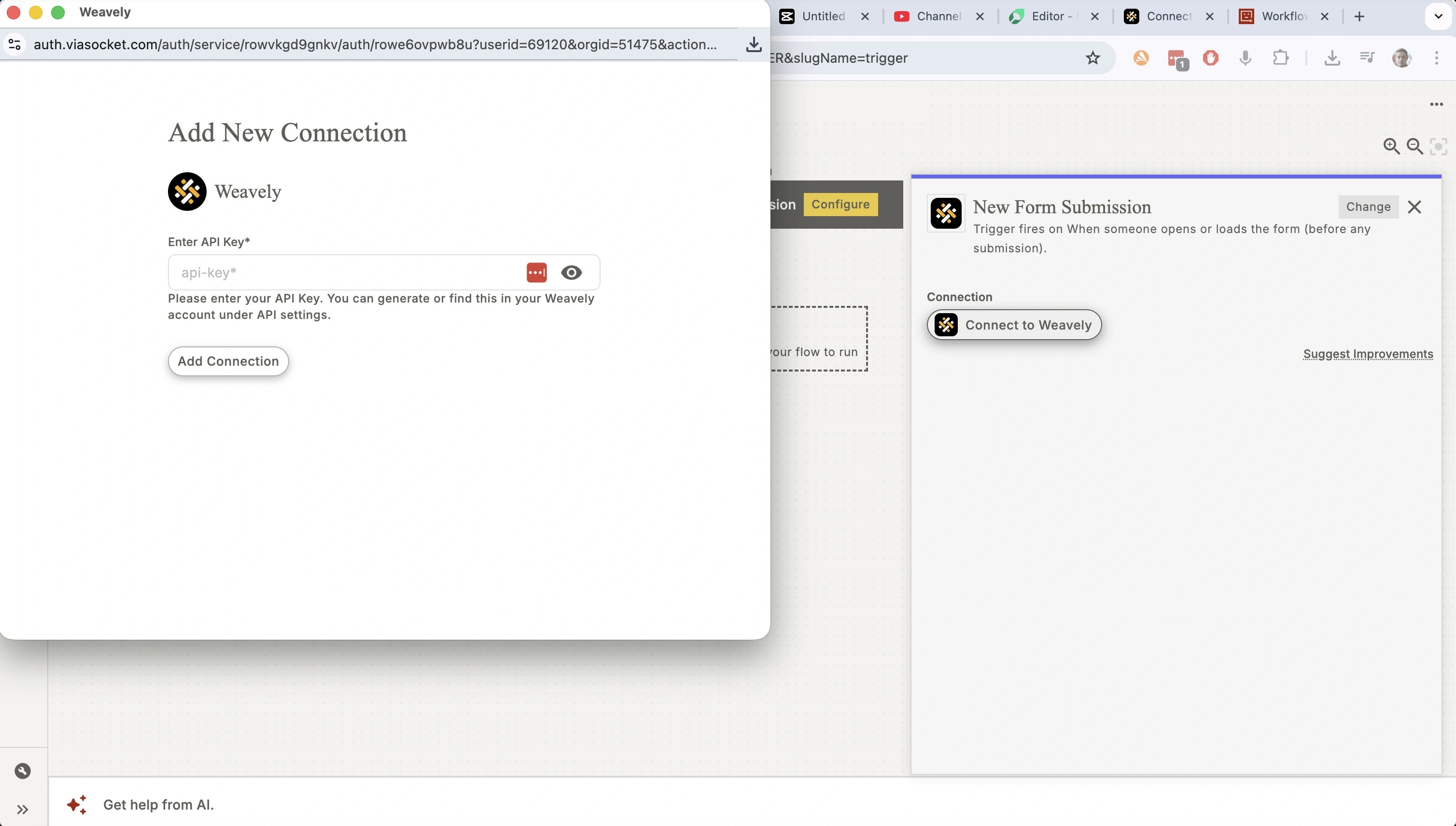
When you open a Weavely trigger for the first time you'll first be prompted to connect your Weavely account. This is where your personal token from step 1 will come into play. Copy and paste the token into the field marked "API key" by viaSocket.
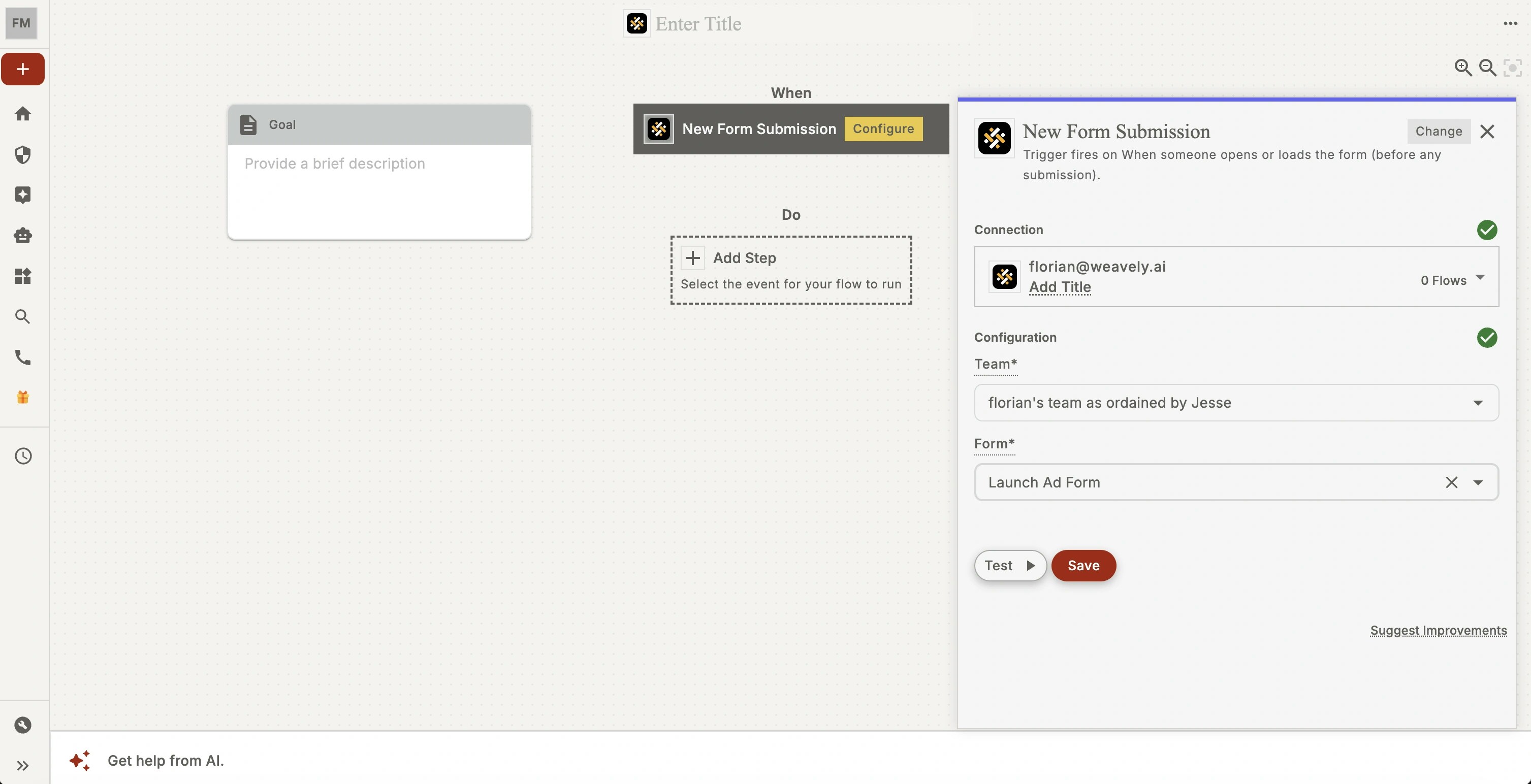
That's it! You're all set to start using your form submissions in your viaSocket flow. Further configure the trigger by selecting the right team and the right form to power your automation!