

GIF vs Lottie: which one should you use?
GIFs are the easiest option — upload the file like any image and you’re done. Best for memes, screen recordings, or animations you already have. Lottie animations are vector-based, scale without losing quality, and tend to look more premium. File sizes are smaller and they’re the format used by most modern animation libraries.
How to add a GIF to your form
.gif)
Screenshot showing how to add a survey GIF to a Weavely AI form
1
Add an Image element to your form
Insert a new Image element wherever you want the animation to appear.
2
Upload your GIF
Upload the GIF file the same way you’d upload any image.
3
Adjust the size
The default size may be too large. Setting the width to around 300 pixels works well for most forms.
4
Align and position it
Set the alignment to centered (or wherever you want it), then drag it into place. You can also ask Weavely’s AI to move it for you — for example: “move the image to the top of the form”.
How to add a Lottie animation to your form
Weavely already includes a built-in Lottie animation on the confirmation screen — the checkmark shown after someone submits the form. You can replace this with any other Lottie animation, or add Lottie animations elsewhere in your form the same way you’d add an image.1
Find a Lottie animation
LottieFiles.com is the main library, with thousands of free animations. Use the search bar to find something relevant to your form (e.g., “cookie,” “celebration,” “checkmark”), then filter by Free to exclude premium animations. Other sources like IconScout also have Lottie animations available.
2
Download the JSON file
3
Add a Lottie element to your form
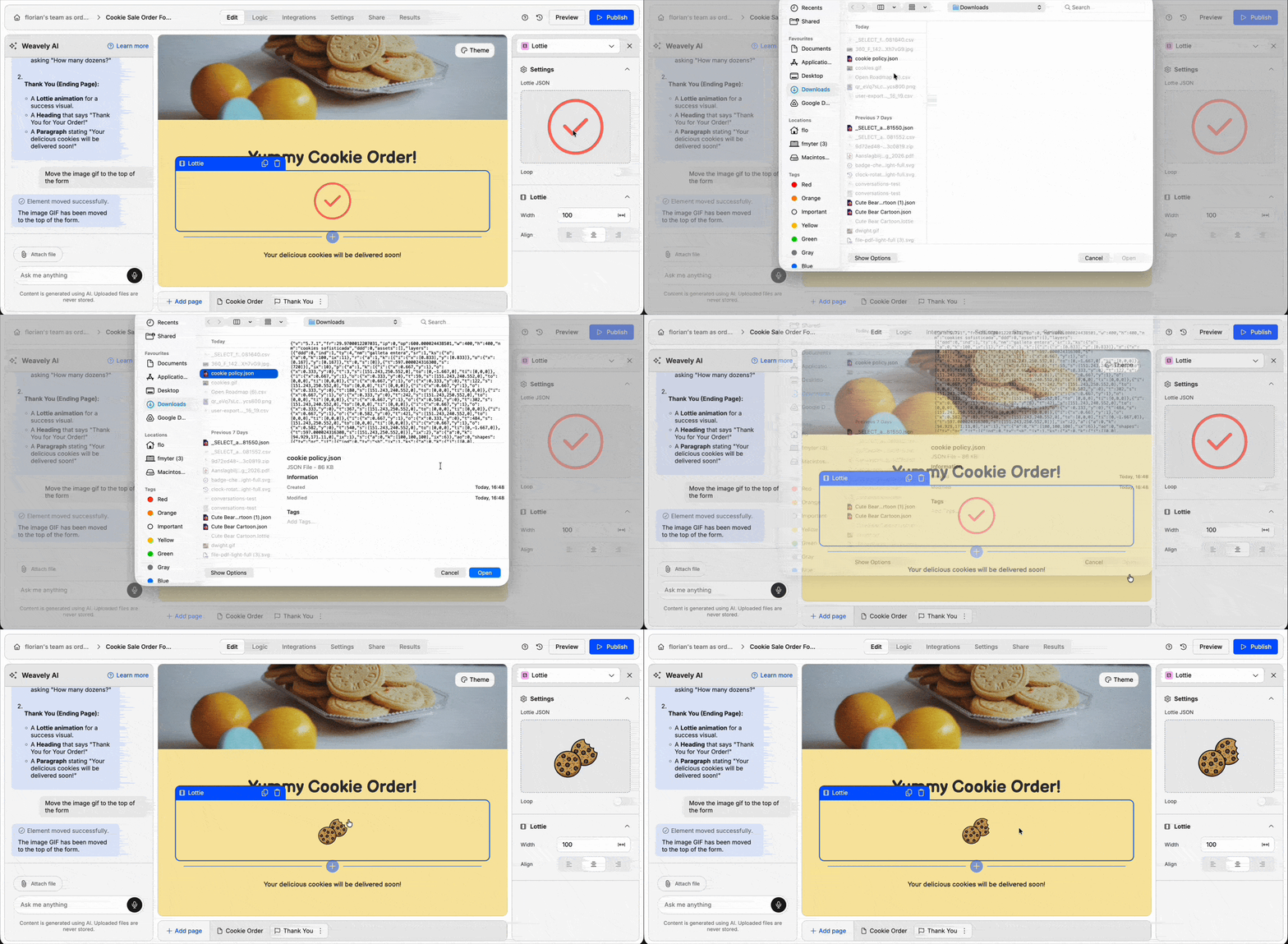
4
Adjust the size
By default, the animation may be set to fill the available space, which can be too large. Set a specific size (around 300 pixels works for most cases) until it looks right.
Where to put your animations
A few common placements that work well:- Welcome screen: set the tone before people start filling out your form
- Between sections: break up longer multi-step forms
- Confirmation/thank you screen: replace the default checkmark with something on-brand
- Next to specific questions: add personality or visual context