A match quiz sorts respondents into categories based on their answers. Instead of one score, each answer carries weights toward different outcomes, and the outcome with the most points is the one the respondent sees. It’s the format behind personality quizzes and “which product should you buy” finders.
Want a single score per respondent instead (e.g. cold, warm, hot leads)? See Build a lead qualification form.
Steps
1
Describe the quiz you want
Describe the quiz and the categories people should be sorted into. The more specific the prompt, the better the questions and outcomes.Another common use is an e-commerce product finder that recommends a different product depending on the answers. Press Generate form.
2
Review the questions and outcomes
Weavely generates the questions and the outcomes, in this case, one outcome per Harry Potter house, then wires up the weighting.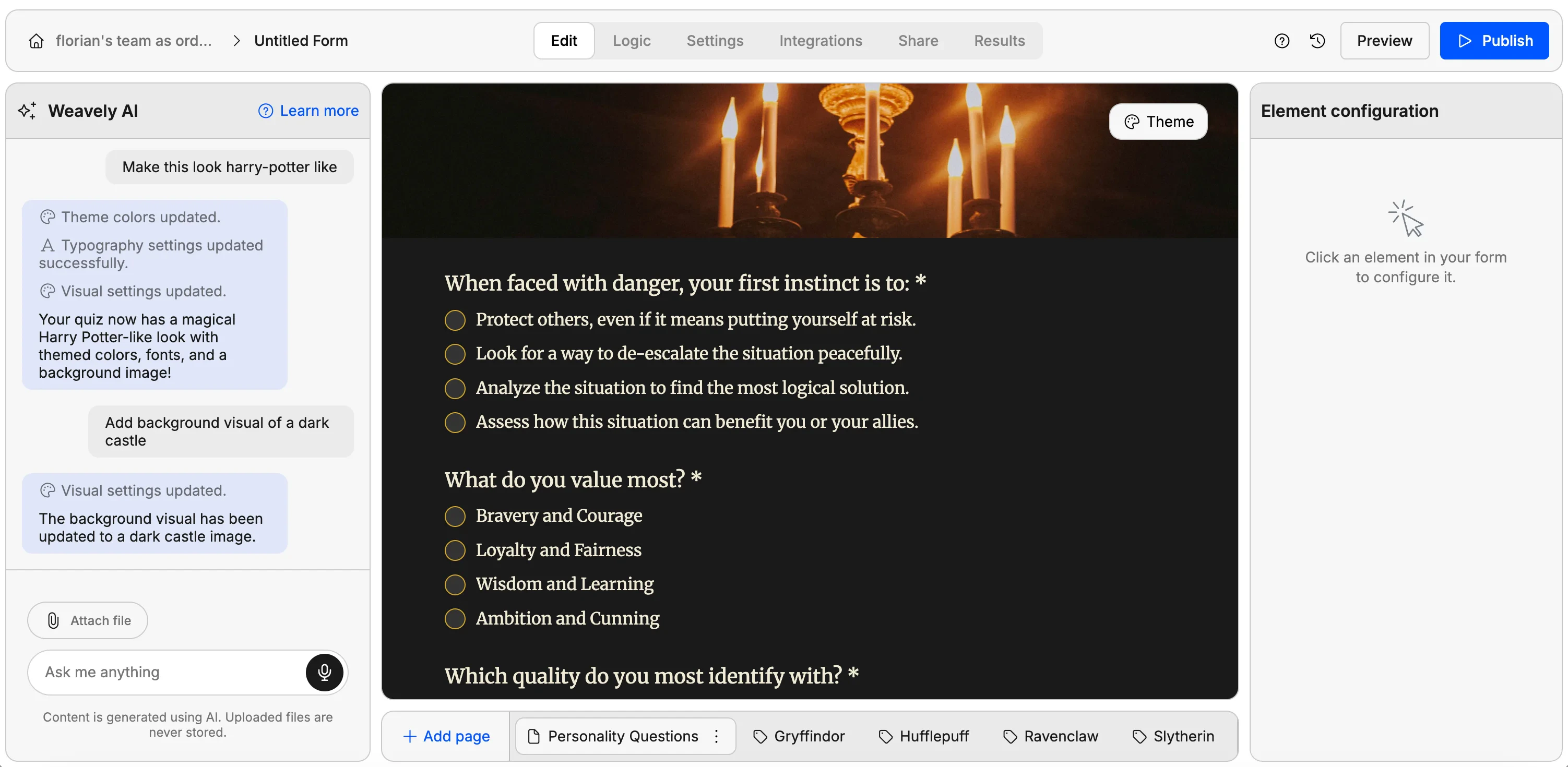
3
Check how the weighting is wired up
Open Settings → Match quiz. Unlike a lead qualification form, there’s no single score per answer. Instead, each answer carries a weight toward one or more outcomes. For example, “bravery” might be a point for Gryffindor, while “ambition” is a point for Slytherin. A single answer can carry weight toward several outcomes at once, bravery could add a point to both Gryffindor and Hufflepuff.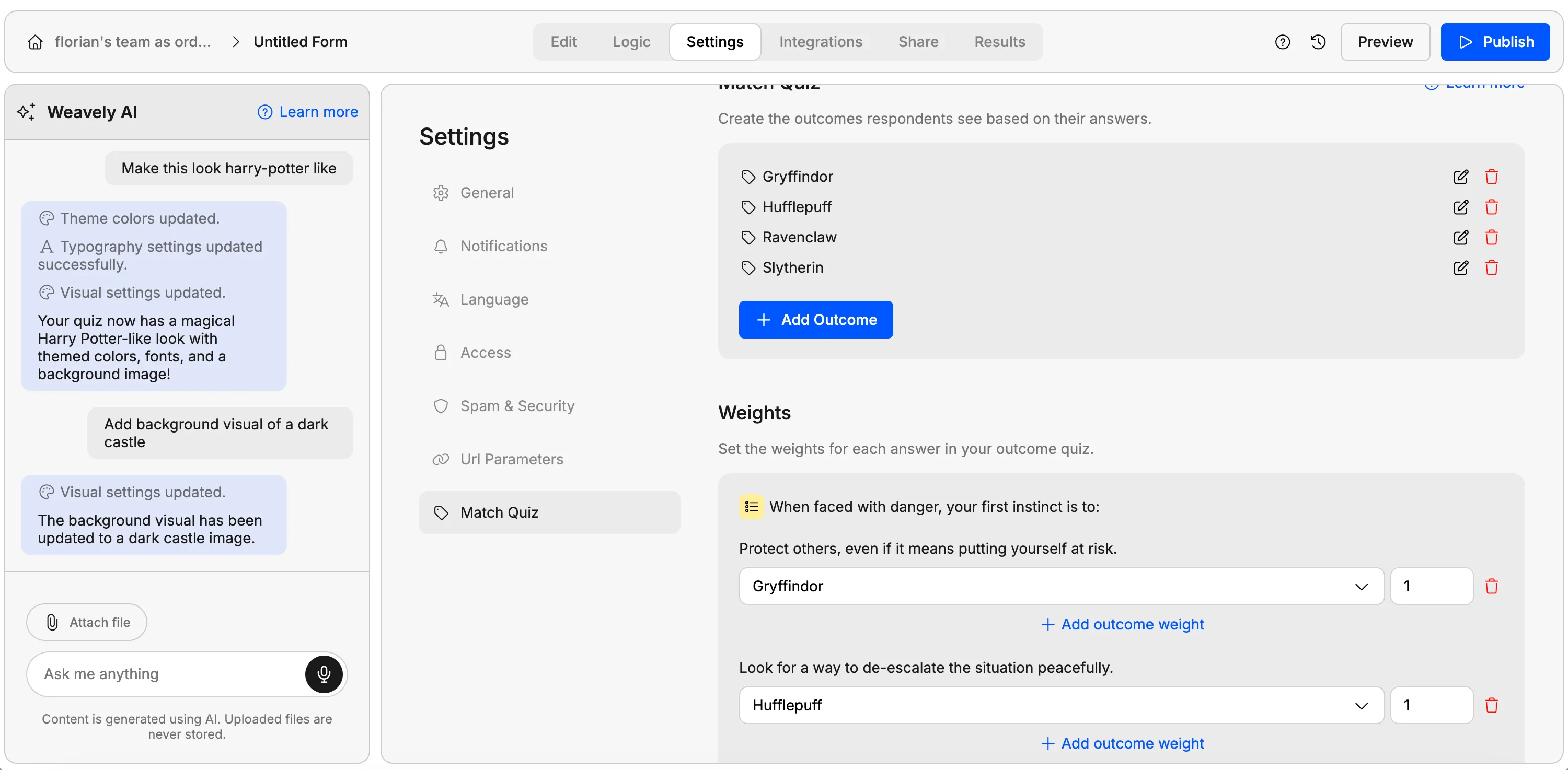
4
Publish and test
Publish the form and fill it in. As a respondent moves through the quiz, they accumulate points toward each outcome, and the highest-scoring outcome is shown at the end.
5
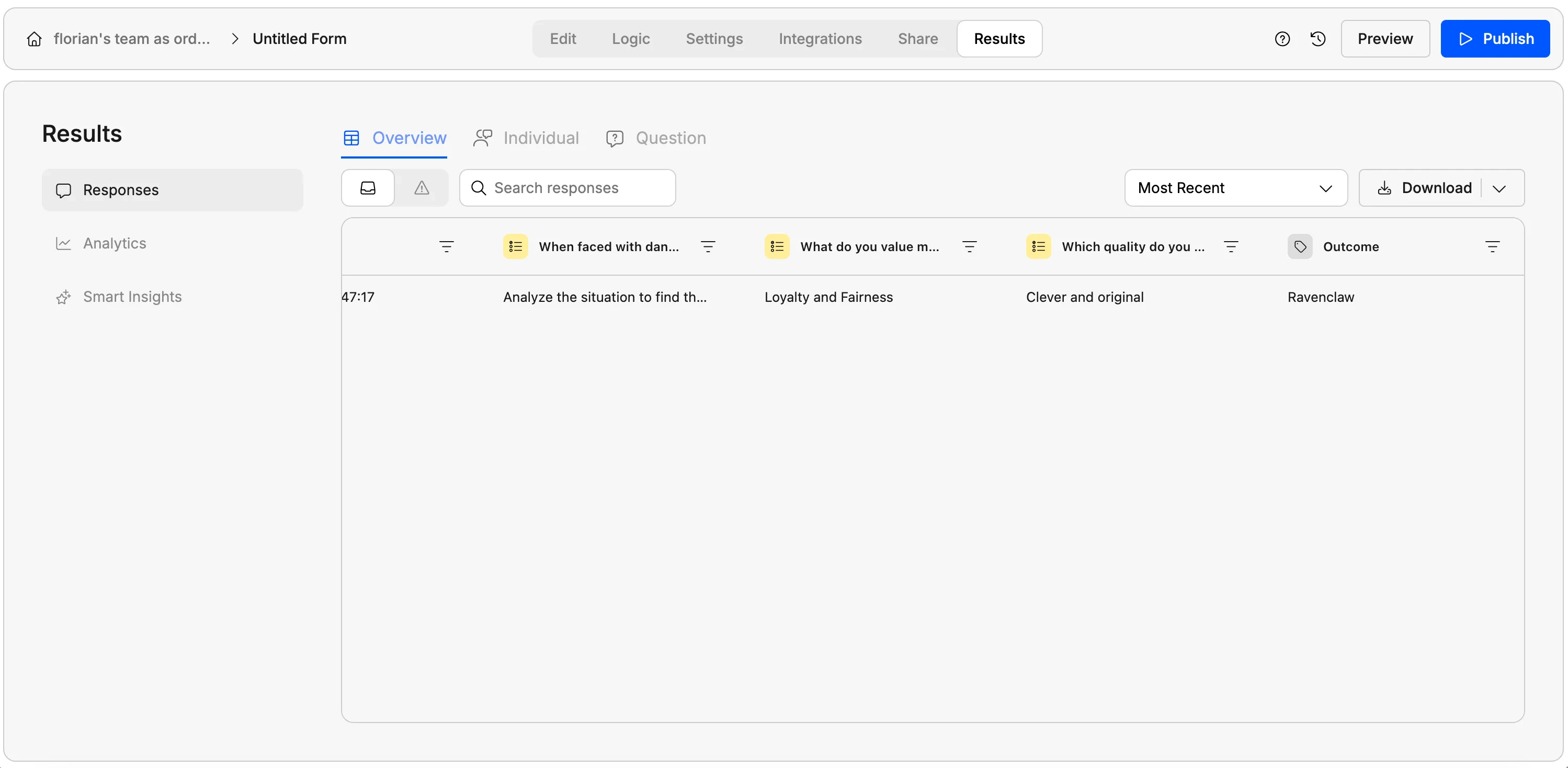
Review responses