

The Weavely Google Docs add-on lets you turn the questions in any Google Doc into a working form, right from inside the document. There is no copy-pasting and no manual form building: you open your doc, click a button, and Weavely’s AI reads the content and builds the form for you in seconds.
This guide walks through the whole process, from installing the add-on to publishing and sharing your form.
You will need a Google account and a Google Doc that contains the questions or content you want to turn into a form. A free Weavely account is needed to publish, and you can create one during the publish step.
Install and generate
1
Install the add-on from the Google Workspace Marketplace
Open the Google Workspace Marketplace and search for Weavely or AI forms for Google Docs. Open the listing, click Install, sign in with your Google account, and approve the permissions screen.Once installed, the add-on is available across your Google Docs.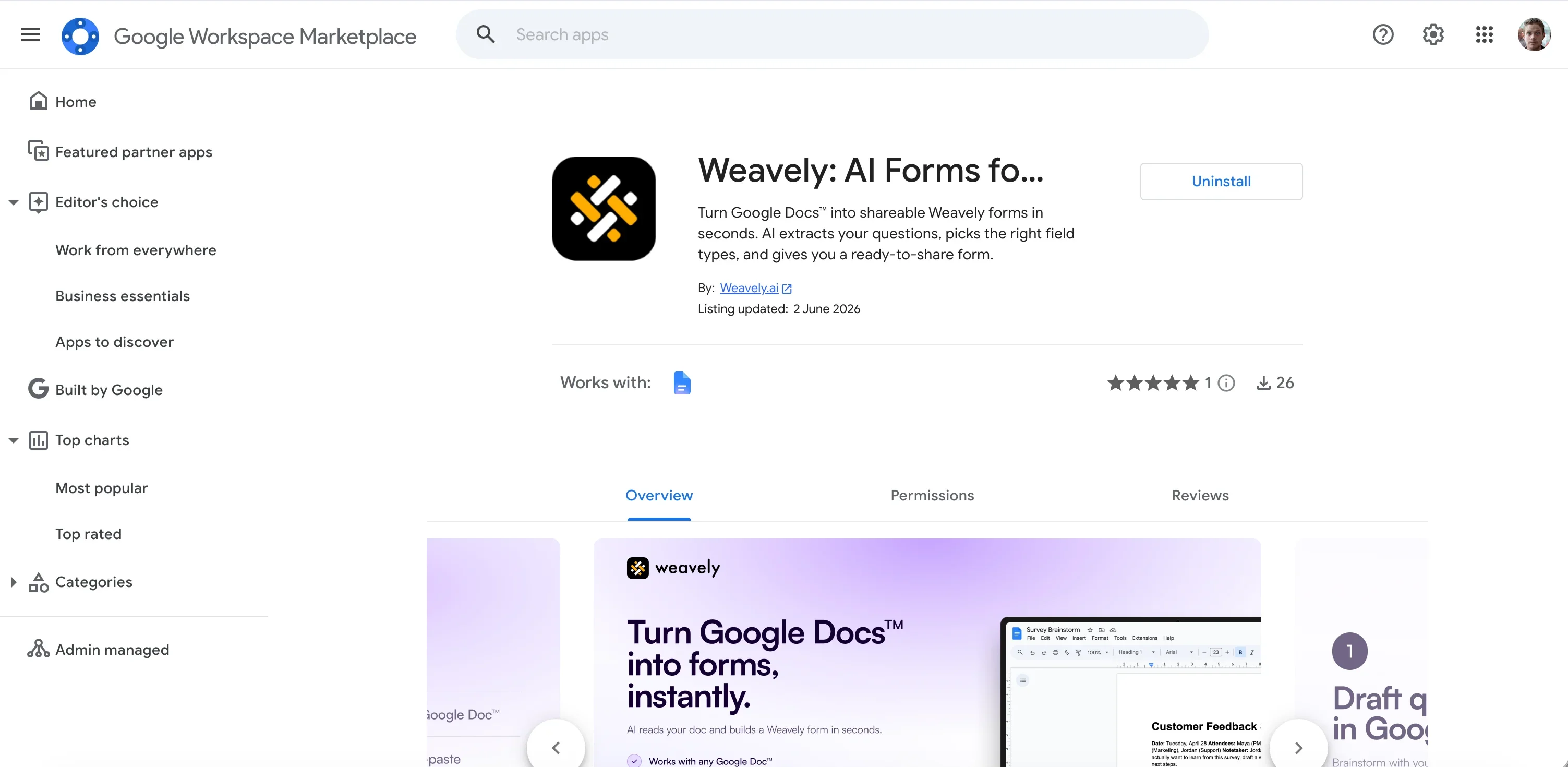
Weavely asks for permission on a per-file basis. It only reads the specific document you open it in, not your entire Google Drive.
2
Open your doc and the Weavely sidebar
Open the Google Doc that contains your questions, then click the Weavely icon in the right-hand sidebar to open the add-on panel.Almost any document works: a survey brainstorm, a list of quiz questions, a product brief, or rough notes. The more clearly your questions are written, the better the result, but you do not need a specific format.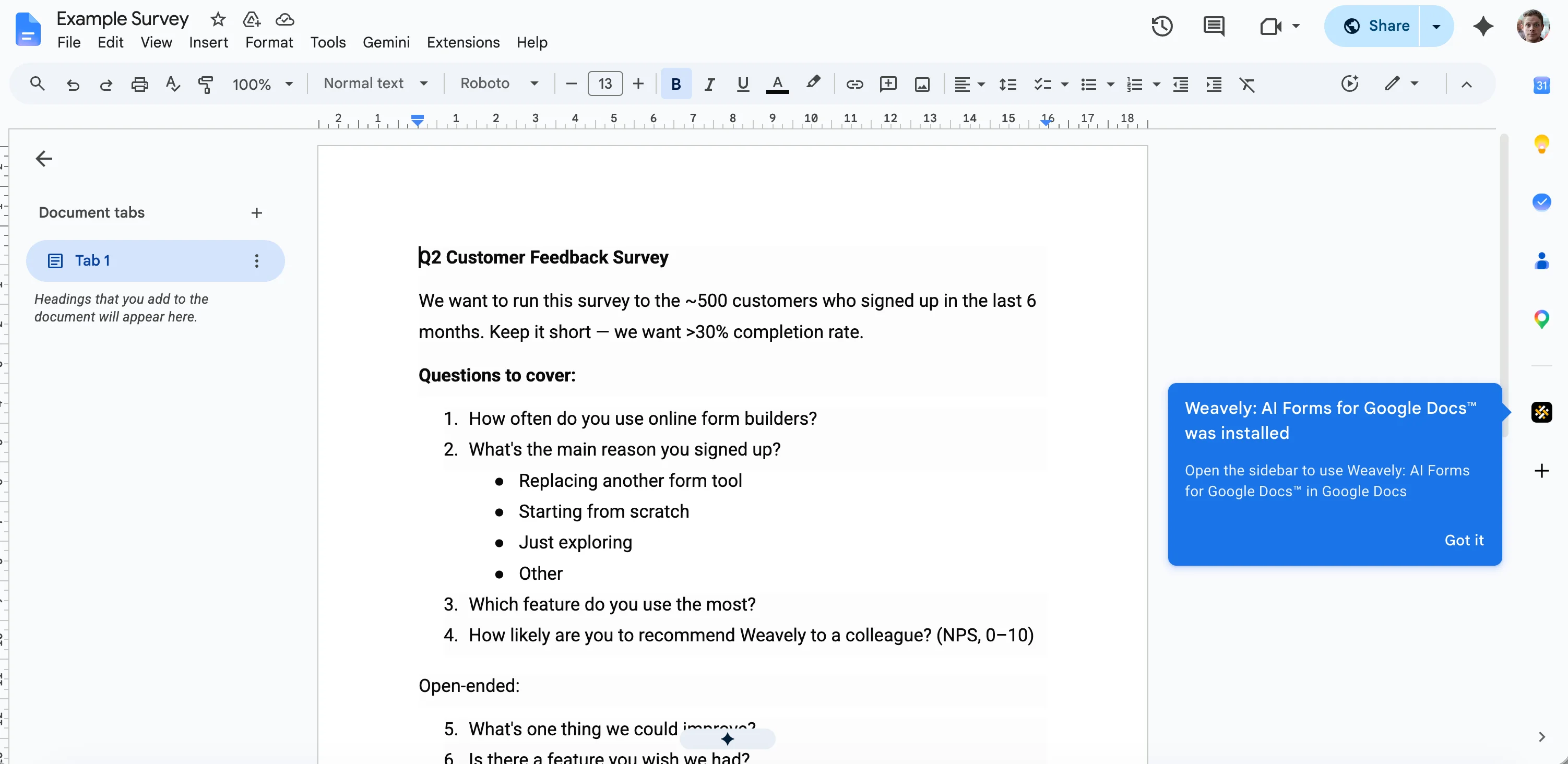
3
Generate your form
Click the Generate form button. Weavely reads through your document, pulls the title and any context you have written, and turns each question into the most suitable field type (multiple choice, dropdown, rating scale, short answer, and so on).This usually takes a few seconds. When it finishes, you will see your generated form in the panel, ready to review.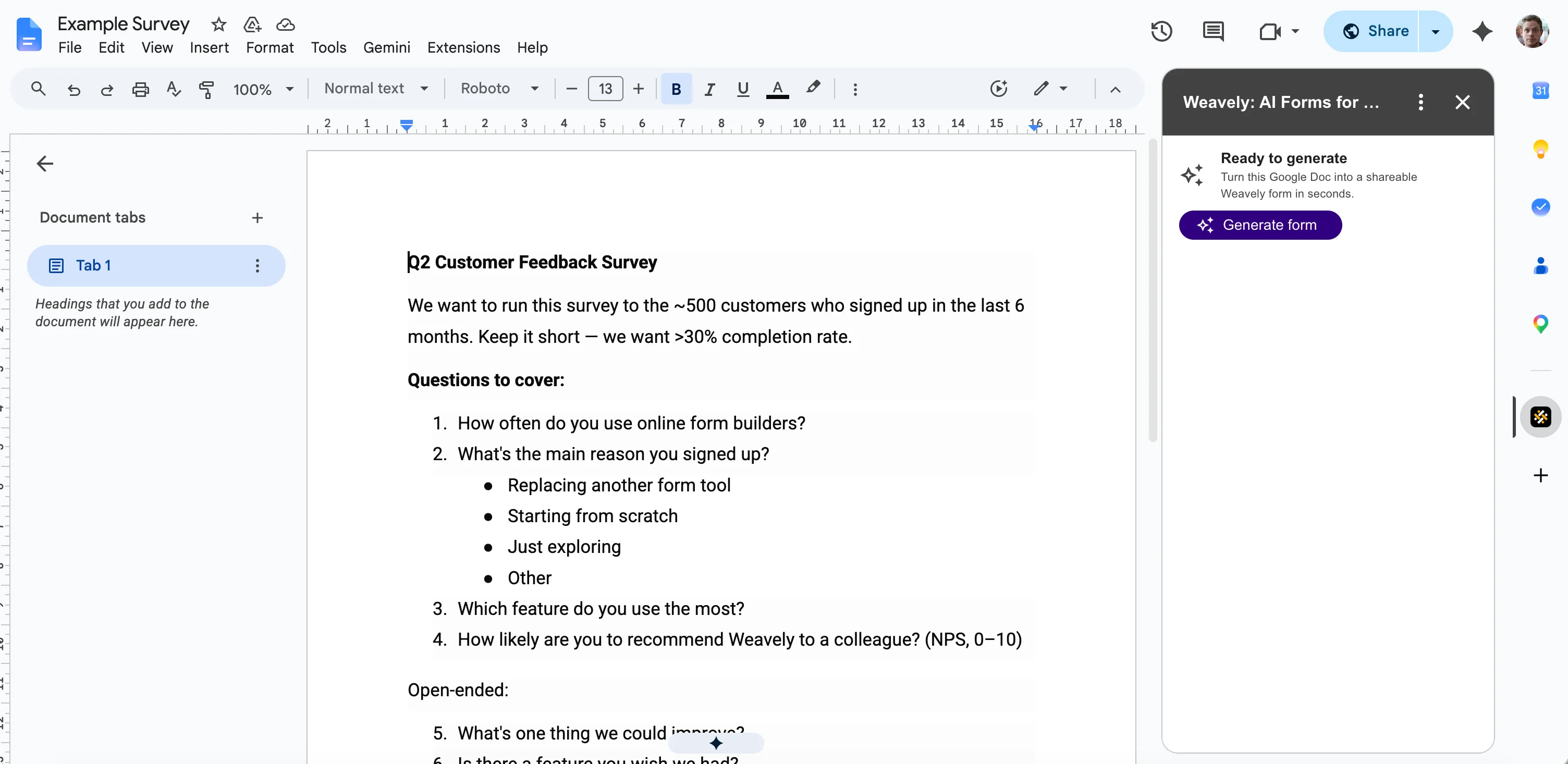
4
Refine the form by chatting with the AI
Anything you want to change, just describe it in plain language. For example, type “change the recommend score to a 1 to 10 scale instead of 1 to 5” and the field updates instantly.You can also add conditional logic the same way. Ask something like “only show the follow-up question when someone selects a low score,” and Weavely wires it up for you. There is no logic builder to configure.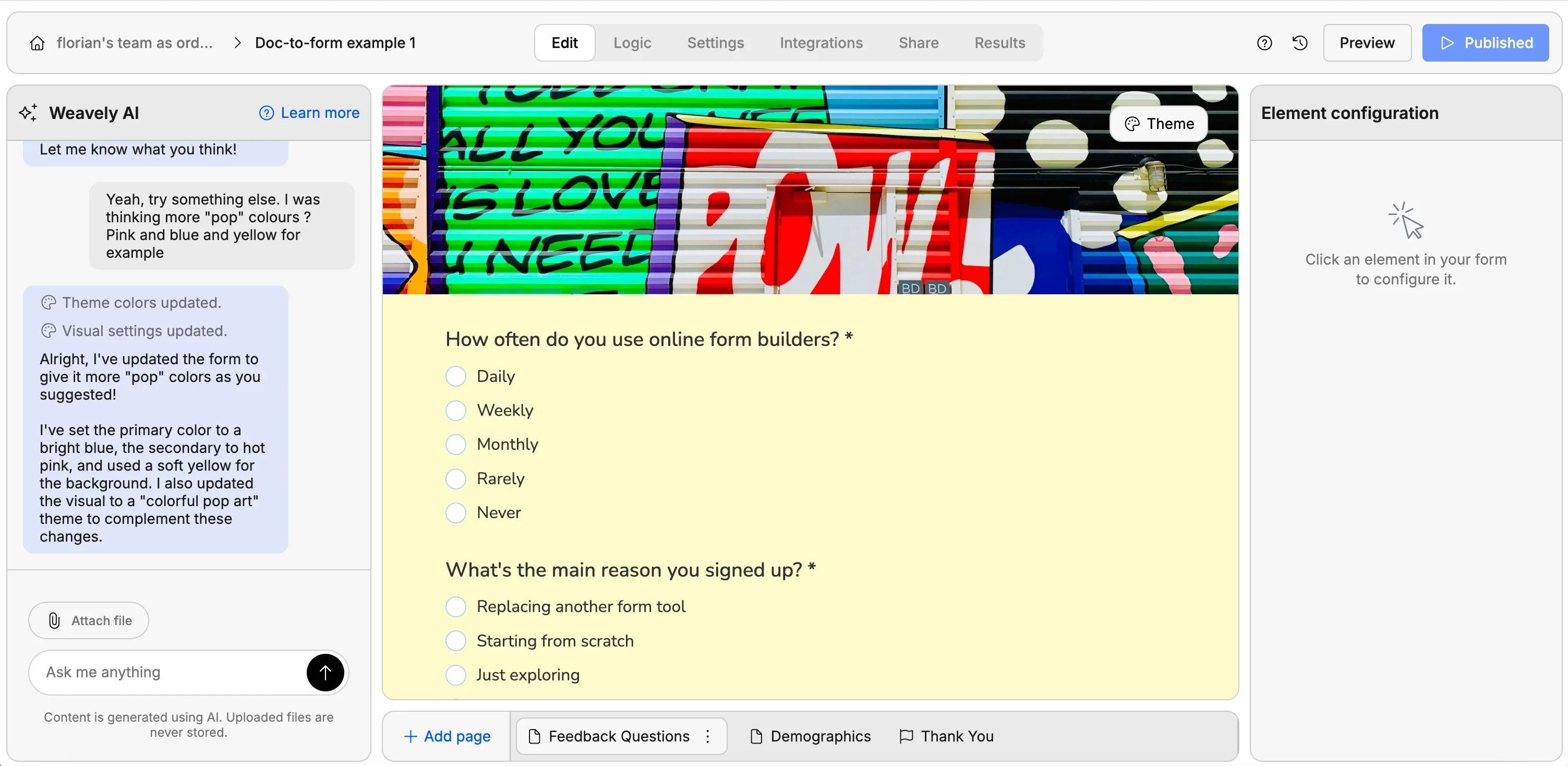
5
Publish and share
When you are happy with the form, click Publish. You will get a shareable link you can send to anyone.If you are not signed in to Weavely yet, you will be prompted to create a free account first. The free plan includes unlimited forms and unlimited responses.